What is Git-aware project management?
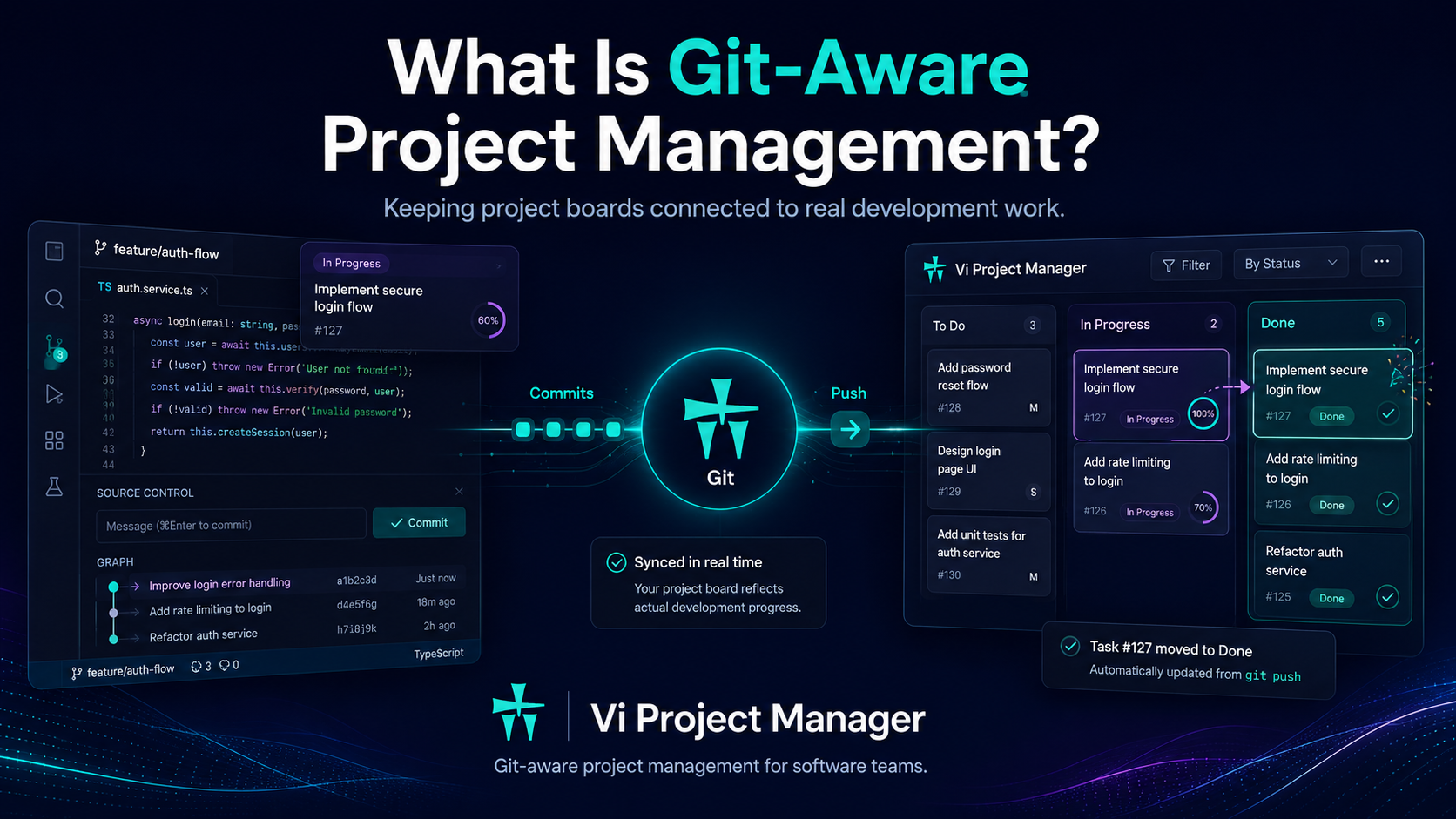
Git-aware project management ties each task to its own code changes and lets developers finish tasks from the IDE — so the board reflects real work instead of relying on developers to update tickets by hand.
A definition for software teams
Project management tools help teams plan work, assign tasks, and track progress. But for software teams, a big part of the real work happens somewhere else: inside the IDE — in Git branches, commits, pushes, and code changes. Git-aware project management closes that gap. Each task gets its own commits, so the code changes behind a task stay together and are easy to review, and finishing the task in the IDE moves it forward on the board — instead of treating tasks as isolated cards disconnected from the codebase.
The problem with traditional project boards
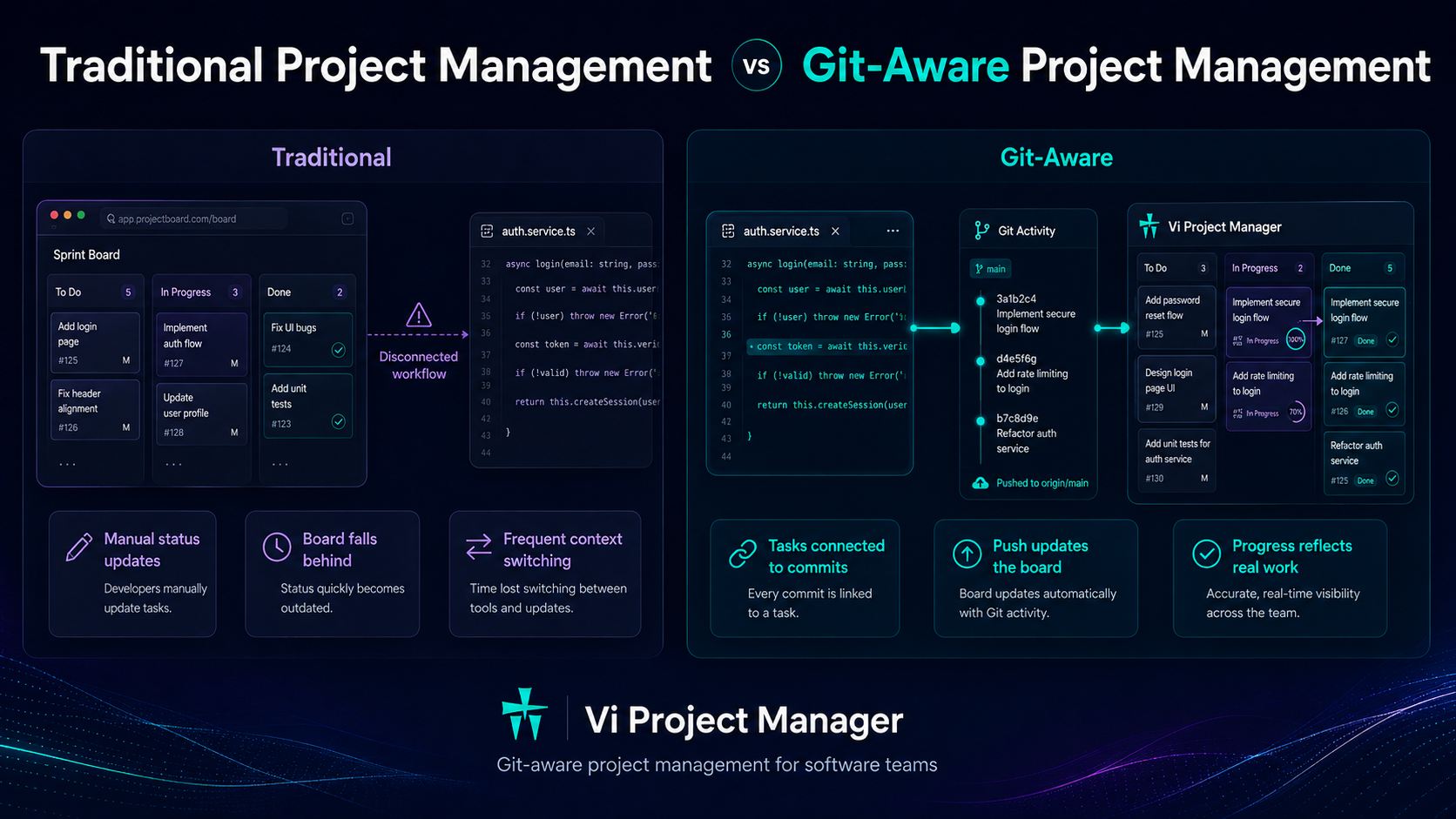
Most project management tools are built around manual updates. A developer works on a task, writes code, commits and pushes through Git — and then has to switch back to the browser to update the board, if they remember. That one dependency creates most of the pain software teams feel:
The issue isn't that teams are careless — it's that the board is separated from where development actually happens.
Board-first tools like Jira put process ahead of code — see how Vi compares as a Jira alternative →
Traditional vs Git-aware project management
Traditional project management is board-first: it focuses on cards, columns, statuses, and due dates. Git-aware project management is development-first — it keeps the board, but wires it to the software workflow. The difference isn't planning; it's how closely execution stays connected to the codebase.
Traditional project management
Git-aware project management
Git project management vs Git-aware project management: what's the difference?
Git project management means running the work inside the Git host itself — issues, pull requests, and boards that live next to the repository — while Git-aware project management means a project tool that ties each task to its own commits from the developer's IDE, without moving the whole team into the Git host. The first is repository-centric: the board is a feature of GitHub, GitLab, or Bitbucket, so everyone who needs visibility — managers, QA, support, clients — has to work inside a developer tool. The second keeps a real project layer — workflows, approvals, SLA, time tracking, milestones — and links each task to its commits, so the code stays in Git and the process stays in the project tool.
Git project management (GitHub Projects, GitLab, Bitbucket)
Git-aware project management (Vi)
Go deeper: Git project management · Commit & Close · VS Code project management
How Git-aware project management works
A Git-aware tool understands the development workflow instead of treating tasks as isolated cards. It connects tasks to real development actions — so the board stays close to reality without extra busywork.
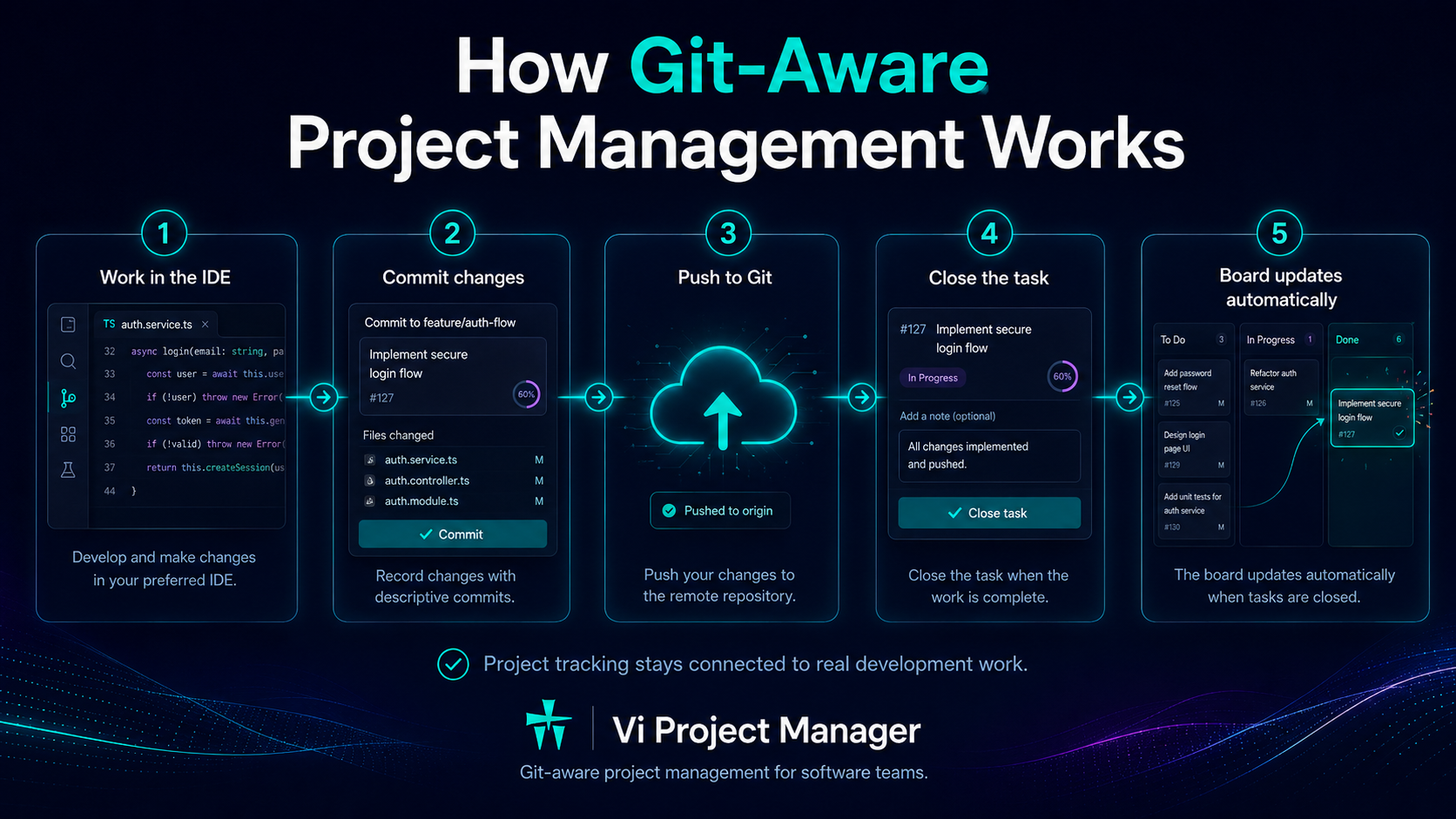
1. Work in the IDE
Start work on a task straight from the IDE.
2. Commit and push
Link commits and pushes to that task.
3. Move the task forward
Finish your step from the development environment — the task moves to the next workflow step.
4. Board updates automatically
Move the workflow forward — the board updates from real activity.
How Vi Project Management approaches this
Vi is project management and a helpdesk for software teams, and it is Git-aware where it matters: developers manage and complete tasks directly from the IDE, and the core workflow is called Commit & Close — one action that saves the task's code changes as a task-linked commit and moves the task to the next step on the board.
Git-aware doesn't mean reading all your source
A Git-aware tool doesn't need to inspect or store your source code by default. What matters is connecting useful development metadata — commits, pushes, task status, branch and workflow activity — to the task. In Vi, Git commands run locally through the IDE plugin, and Vi never stores or uploads your source. Teams stay in control of how much code context appears on the board.
Who is Git-aware project management for?
It's for software teams that want project tracking to stay close to real engineering work — developers, technical founders, engineering managers, team leads, and product teams working closely with engineering. It helps small teams, growing product teams, and larger engineering organizations reduce manual updates and improve visibility into real progress.
Keep exploring: Git project management · VS Code project management · Commit & Close · IDE project management · Vi as a Jira alternative
Frequently asked
How is Git-aware project management different from a Git host like GitHub?
A Git host stores and serves your repository. Git-aware project management doesn't replace it — it ties each task to its own commits, so a task's code changes stay together and can be reviewed, while the workflow itself moves when the developer finishes the task in the IDE. Vi works alongside GitHub, GitLab, Bitbucket, or your own Git server.
Does a Git-aware tool read my source code?
It doesn't have to. Vi connects task metadata to Git activity; Git commands run locally in your IDE through the plugin, and Vi never stores or uploads your source.
Do we have to change how we use Git?
No. Developers keep committing and pushing as usual — ordinary commits and pushes don't change task status. When their part is finished, they mark the task Done in the IDE: Commit & Close commits with the task ID and moves the task to the next workflow step, so finishing the code also updates the board without a separate status step.
Keep project tracking in sync with real work
Start free and keep your board connected to real development work. No credit card required.
Get Started Free