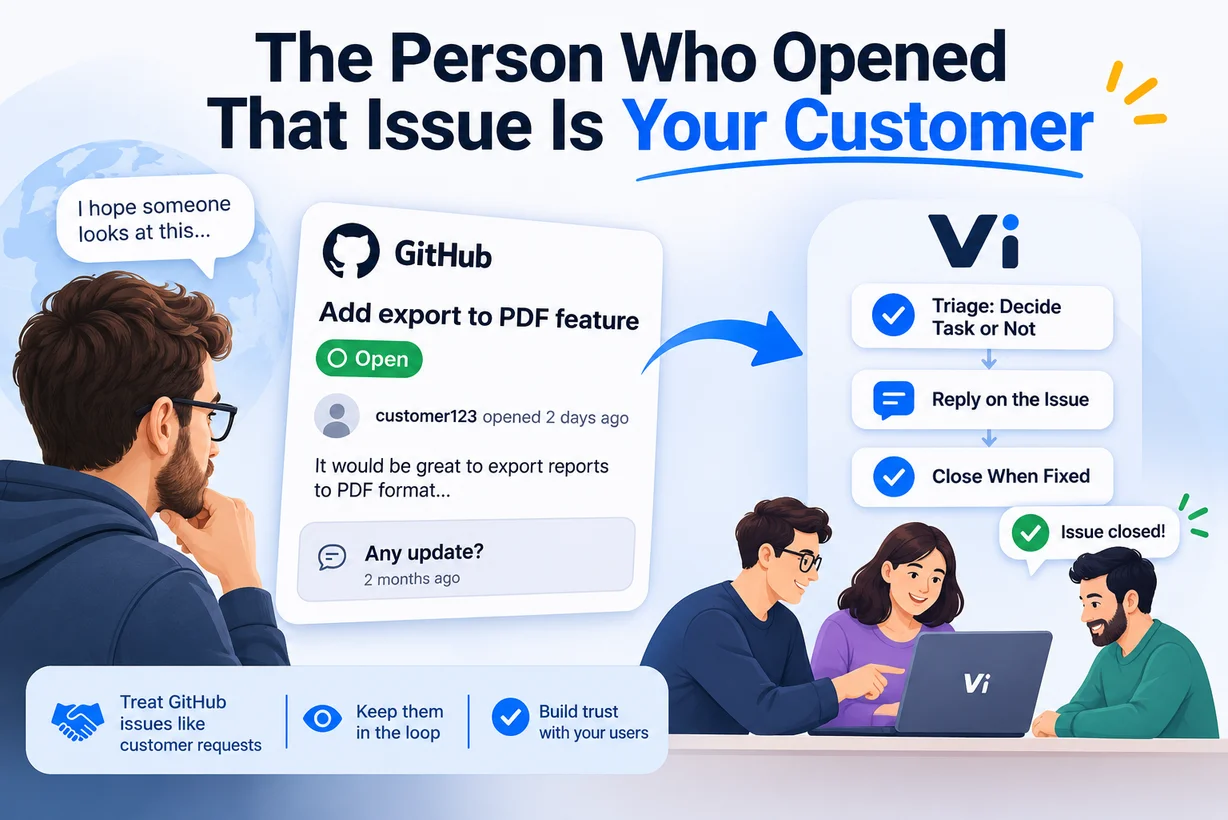
 An issue opened by someone outside your team is a customer request. They want something fixed or added, and they wait to hear back, the same as a customer who sends an email. To handle it well you need four things: someone decides whether it becomes work (triage), the reply goes back where the person is waiting (the issue itself), your team's internal discussion stays private, and the issue closes when the fix actually reaches users, not when someone merges a branch. Vi does this on the Business plan: issues from linked repositories arrive in the same triage inbox as customer emails and portal forms, replies are posted on the issue, and the issue is closed when the request is done.
The rest of this post explains why each of those four things matters, where they usually break, and how the flow works in Vi, including what it does not do.
Why should a GitHub issue be treated as a customer request?
Because the person who opened it behaves exactly like a customer. They describe a problem, they hope someone reads it, and then they wait.
We looked at this in an earlier study, "Any Update?" We Read 2,398 GitHub Issues. About 100,000 new GitHub issues a year end up with a comment asking "any update?". In our 2025 sample, people waited a median of 38 days before asking, and 60% never got a reply from a maintainer afterwards. Most of those projects are run by volunteers, so the numbers are not a judgement on anyone. They show what happens when the person waiting can't see where their request stands: asking again is the only thing left to do.
For a company the stakes are different. If your product has a public repository, the person opening the issue might be a paying customer, a trial user deciding whether to buy, or a developer at a company that depends on you. Their issue is a support ticket that happens to live on GitHub.
The trouble is that the tracker on GitHub is usually also where developers plan their own work. Customer reports, internal tasks, refactoring notes and release chores end up in one list. The questions a support team asks ("who is waiting?", "who answered them?", "when did we last update them?") are hard to answer there.
What does a customer request from GitHub need?
1. A triage step before it becomes work
Not every issue should become a task. Some are duplicates, some are questions, some are requests you will never build, and some need more information first. If every new issue automatically lands in a developer's queue, the queue fills with things nobody has decided to do.
A triage step means one person (a support lead, a product owner, the maintainer on duty) looks at each new issue and decides: convert it into a task in the right project, ask for more detail, or decline it with a reason. The issue's labels can help. A bug label suggests a bug, enhancement suggests a feature request.
2. Replies on the issue, not somewhere else
The person who opened the issue is watching the issue. GitHub notifies them about new comments there. If your team answers in a separate tool and nobody copies the answer back, from the reporter's side nothing happened.
So replies from the team should be posted on the issue. It also means the next person who finds the same issue through search sees the answer.
3. Internal discussion that stays internal
Developers need room to talk honestly: "this is caused by the old billing code", "we can't fix this before the migration", "this customer's setup is unusual". That conversation belongs on the task, not on a public issue.
A good flow keeps two channels apart: the customer conversation, which goes to the issue, and the internal task comments, which never leave your workspace.
4. A close that means the fix reached users
Many teams close an issue when a pull request is merged, often automatically with a keyword like Fixes #482. That works if you deploy on every merge. If you ship in versions, the reporter sees "closed" weeks before they can actually get the fix, and from their side the bug is still there.
For a customer, "done" should mean "you can have it now". If you release in versions, the issue should close when the release that contains the fix is published, and before that the reporter can be told that the fix is ready and which version it will be in.
Where does this usually break?
In our experience, the flow breaks in a few predictable places.
- Nobody owns the inbox. Issues arrive, everyone assumes someone else will look, and new reports sit unread.
- The answer stays in the internal tool. The team discusses the issue thoroughly in a task, fixes it, and forgets to tell the reporter.
- The close comes too early or never. Either the issue closes on merge, long before a release, or the work is finished and the issue stays open for months because nobody went back to it.
- Declined requests get silence. Saying "we won't build this, and here is why" is uncomfortable, so the issue just stays open. An honest no is better for the reporter than an open issue nobody plans to work on.
- Customer requests and internal work blur together. When everything is an issue, it is hard to see which items have someone outside the team waiting on them.
None of these are hard problems. They break because each step depends on someone remembering to do it.
How does Vi handle GitHub issues as customer requests?
Vi is project management and helpdesk software for software teams. Customer requests from email, the client portal and GitHub arrive in one triage inbox, become tasks, and move through each team's workflow. When the work is done, the customer is told. We call this Close the Loop. GitHub is one of the three sources, on the Business plan. The full description is on the helpdesk page.
Connecting repositories
An owner or admin opens Support › GitHub and installs the Vi GitHub App on their GitHub account or organization, choosing which repositories it can see. When they come back to Vi, GitHub confirms who they are, and Vi checks that they really have access to that installation before linking it to the workspace.
Each repository is then linked to a project in Vi. One project can have several repositories (for example a desktop app and its plugin), and a repository belongs to one project. A repository left unlinked is ignored.
If the person installing doesn't have permission to install apps in the organization, GitHub sends the request to the organization owner, and Vi says the request was sent.
New issues wait in triage
A new issue on a linked repository arrives in the triage inbox with a GitHub badge and the author's username, for example @sara. It never becomes a task on its own. An admin converts it, with the repository's project already selected and a request type suggested from a bug or enhancement label, or rejects it.
The triage inbox has a source filter, so you can look at GitHub issues alone or together with emails and portal requests.
Comments become the conversation
Comments on the issue, from the author or from anyone else (shown with their username), join the request's conversation in Vi. This works before the issue is converted too, so the person triaging sees the whole discussion.
Your team's replies are written from the customer request card and posted on the issue as Vi[bot], signed with your workspace name. Internal task comments never go to GitHub. Comments from bots and from Vi itself are not imported back, so the conversation doesn't fill with echoes.
The issue closes when the request is done
When the request is done, Vi posts a closing comment and closes the issue as completed.
If the project uses releases, the order changes. When the fix is ready, Vi comments that it will be in version X. The issue is closed when that release is published.
If the request is cancelled or rejected, Vi comments with the explanation (including the rejection reason) and closes the issue as not planned. If the work is reopened later, Vi reopens the issue it had closed.
Automatic closing can be turned off for each repository. Then Vi only comments, and your team closes the issue by hand.
When something goes wrong
If posting to GitHub fails for a temporary reason, Vi retries a few times with increasing gaps. If it fails for good (the issue was deleted or locked, the repository was unlinked, the app was removed or suspended), the request card shows the error and the workspace owner gets a notification.
What Vi doesn't do with GitHub issues
It is better to know these before you connect a repository.
- No customer emails, satisfaction survey or status link for GitHub requests. GitHub doesn't share the author's email address, so Vi has no way to email them. The issue itself works as their status page: replies and the outcome appear there.
- Replies are posted as Vi[bot], not under each team member's GitHub account. They are signed with your workspace name.
- Issues are never turned into tasks automatically. This is deliberate, but it means someone has to triage.
- Edits to the issue text are picked up only before conversion. After that, the task is the working copy. New comments still arrive.
- It is a Business plan feature. Customers and the people who open issues don't use paid seats.
- It is about issues, not code. Linking commits to tasks happens through Vi's IDE extensions and Commit & Close, which is a separate part of the product. We wrote about that in Which Tools Link Code Commits to Tasks?.
How the whole path looks
Put together, an issue's path through Vi looks like this:
- A user opens an issue on your repository.
- It appears in the triage inbox with a GitHub badge. Comments keep arriving in its conversation.
- Someone converts it into a task in the right project, or rejects it with a reason (and the issue is closed as not planned with that reason).
- The task moves through your team's workflow: development, review, QA, with approvals and SLAs where you have them. The developer can finish their step from the IDE with Commit & Close.
- Your team replies to the reporter from the request card whenever there is something to say. The reply appears on the issue.
- When the request is done, or when the release containing the fix is published, Vi comments and closes the issue.
The reporter never has to ask "any update?", because the updates come to the place they are already watching. The longer version of this chain, from the first request to finished code, is on Customer request to code.
FAQ
Can Vi turn GitHub issues into tasks?
Yes, but not automatically. New issues from linked repositories arrive in the triage inbox, and an admin converts each one into a task, with the repository's project and a type suggested from its label, or rejects it.
Do my team's replies appear on GitHub?
Yes. Replies written from the customer request card are posted as comments on the issue as Vi[bot], signed with your workspace name. Internal comments on the task stay in Vi.
When does Vi close the GitHub issue?
When the customer request is done. If the project uses releases, Vi first comments that the fix will be in a given version and closes the issue when that release is published. Cancelled or rejected requests are closed as not planned, with an explanation. Automatic closing can be turned off per repository.
Can I connect several repositories to one project?
Yes. Each repository is linked to one project, and a project can have several repositories.
Does the person who opened the issue need a Vi account?
No. They stay on GitHub, follow the conversation on the issue and see the outcome there. They don't use a paid seat.
Does Vi read our source code?
No. The Vi GitHub App asks for access to issues and repository metadata, which it needs to read issues and comments and to post replies.
Which plan includes GitHub issues?
The Business plan. See pricing.
How can I see how often people ask "any update?" on my repository?
Try the free Any Update? Checker. Enter a public repository and it shows how often people asked, how long they waited before asking, and how often a maintainer replied. No sign-up is needed.